
Tachiyomi APK V0.15.3 — Free Open-Source Manga Reader for Android (2026)
Love reading manga but tired of apps full of ads and want a Tachiyomi experience, paywalls, and monthly fees? You are going to love this. Tachiyomi is a completely free manga reader app for Android users. No ads. No subscriptions. No sign-up. Just tap, install, and start reading thousands of manga, manhwa, and manhua — all in one clean app.
[⬇ Download APK — Free & Safe — Tachiyomi latest version 2026]
What is Tachiyomi?
Tachiyomi is a free, open-source manga reader made for Android mobile and tablet users. Think of the Tachiyomi app like a smart container. The app itself does not store any manga. Instead, it connects to manga websites through small plug-ins called extensions — that is the Tachiyomi magic. You pick the websites you want, install their extensions, and all your favorite series show up inside one app — neat, clean, and easy to find.
No more opening five different browser tabs. No more dealing with pop-up ads on manga websites. Everything lives inside Tachiyomi, organized your way.
It was built by manga fans, for manga fans. The code is open for anyone to read on GitHub, which means thousands of developers have checked it — and it is safe. It supports manga, manhwa (Korean comics), manhua (Chinese comics), and even light novels. All completely free.
Who Created Tachiyomi?
A developer known as inorichi started building Tachiyomi back in 2014. Over time, hundreds of volunteers from around the world joined in — adding new features, fixing bugs, and translating the app into over 50 languages. It became one of the most loved manga apps ever made for Android.
In January 2024, the original Tachiyomi project officially stopped due to legal pressure from manga publishers. But here is the good news — the community did not give up. Developers quickly created new versions called forks. Apps like Mihon and Aniyomi picked up right where the original left off and are still being updated today.
The name “Tachiyomi” comes from a Japanese word (立ち読み) that means “standing and reading” — like browsing a book in a store. Pretty fitting for an app that gives you access to everything without paying a cent.
Is Tachiyomi Still Working in 2026?
Yes! The original Tachiyomi APK (version 0.15.3) still installs and works perfectly on most Android phones. You can read manga, use extensions, organize your library, and download chapters for offline reading — all without any problems.
The bigger and better story is the community forks. Mihon is the most popular one — same look, same features, but still getting regular updates and security fixes. Aniyomi added anime streaming on top. Both apps accept your existing backup file in one tap, so switching is painless.
So even though the original project stopped in 2024, the spirit of this app is very much alive in 2026.
What Devices Can Run Tachiyomi?
Tachiyomi runs on Android 6.0 and above. That covers most Android phones made from 2016 onward. If you want to use the Mihon fork instead, you will need Android 8.0 or higher.
There is no official version for iPhone or iPad. iOS users can try Paperback or Aidoku — these are similar free apps built for Apple devices.
For Windows PC users, you can run Tachiyomi inside an Android emulator like BlueStacks or LDPlayer. Or try Suwayomi, which is a web-based manga reader you can open in your browser.
Tachiyomi APK — App Info
| Detail | Info |
|---|---|
| App Name | Tachiyomi |
| Latest Version | 0.15.3 |
| File Size | 50.1 MB |
| Android Required | 6.0 and above |
| Developer | inorichi (community maintained) |
| License | Open Source — Apache 2.0 |
| Category | Manga / Comic Reader |
| Price | 100% Free |
| Ads | Zero Ads |
| Languages | 50+ Languages |
| Platform | Android (Official) |
| Last Official Update | January 2024 |
| Active Forks | Mihon, Aniyomi, TachiyomiSY, J2K, AZ |
Tachiyomi Key Features — Everything This App Can Do
Here is why millions of readers still choose this app over every paid option on the Play Store. Each feature below is something most other apps charge money for — and here it is all completely free.
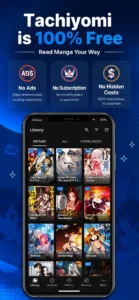
100% Free — No Ads, No Subscription, No Hidden Costs
Other manga apps on Google Play charge monthly fees, show banner ads between pages, or lock popular chapters behind a premium plan. This app does none of that. Download it once, use it forever. You do not need a credit card, an email address, or any kind of account. Just install and read. Every single feature is available to every user from day one — for free.
8,000+ Extensions — Read From Any Source You Like
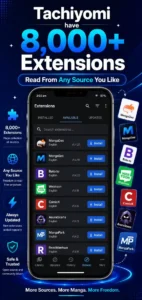
Extensions are what make this app so powerful. Each extension is a small file that connects the app to one manga website. With the right extensions installed, you can read from MangaDex, Asura Scans, Mangakakalot, Webtoon, Flame Scans, Reaper Scans, and thousands more — all without leaving the app.
You install the extension once, and that source becomes a permanent part of your reading library. New to extensions? Do not worry — we explain exactly how to add them in the install guide below.
Offline Reading — Download and Read Without Internet
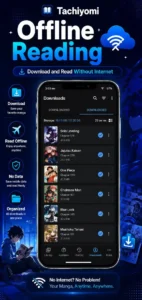
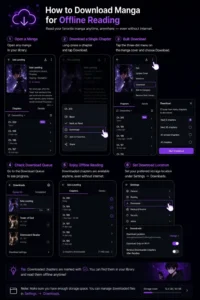
Going on a trip? Living somewhere with slow internet? No problem. Long-press any chapter and tap Download. You can also tap the three-dot menu to bulk-download an entire series at once. All downloaded chapters save directly to your phone and are available any time — even with zero internet connection. Perfect for commutes, travel, or bedtime reading.
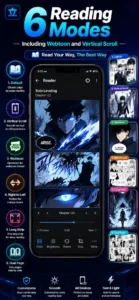
6 Reading Modes — Including Webtoon and Vertical Scroll
Not all manga is laid out the same way. Japanese manga reads right to left. Korean webtoons scroll vertically. Western comics go left to right. This app has a reading mode for all of them. You get six options: left to right, right to left, vertical, continuous vertical, webtoon mode, and double page mode. Switch between them any time from inside the reader. No other free manga app gives you this much control over how you read.
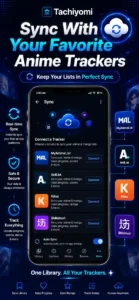
Sync With MyAnimeList, AniList, Kitsu, and Shikimori
Already tracking your reading progress on MyAnimeList, AniList, Kitsu, or Shikimori? The app connects directly to all of them. Open any manga in your library, tap the Trackers button, and link your account. After that, every chapter you finish automatically updates your tracker. You also get notifications when new chapters drop, so you never fall behind on a series you love.
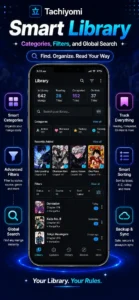
Smart Library — Categories, Filters, and Global Search
Your library is fully yours to organize. Create custom categories like “Reading Now”, “Finished”, “Dropped”, or “Plan to Read”. Drag any manga into the right folder. Filter by Downloaded, Unread, or Completed. Switch between grid view and list view. Use Global Search to look up any title across all your installed extensions at the same time. It is a real library system — not just a plain scrolling list.
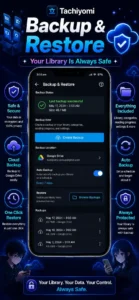
Backup and Restore — Your Library Is Always Safe
This is one of the most important features, and many new users miss it. You can create a full backup of your library — every series, every reading position, every setting, every category. Save it to your phone or Google Drive. If you ever get a new phone, reinstall the app, or want to switch to Mihon, just restore the backup. Everything comes back exactly as you left it. Takes about 30 seconds.
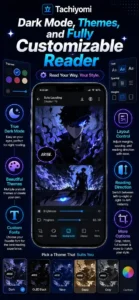
Dark Mode, Themes, and Fully Customizable Reader
You have full control over how the app looks. Choose light mode, dark mode, AMOLED black, or the signature turquoise theme. Inside the reader, you can adjust image quality, zoom scale, page transition style, background color, and whether the screen stays on while reading. Manga is a visual experience — and this app lets you make it look exactly the way you want.
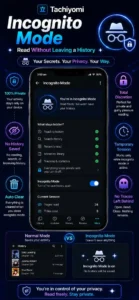
Incognito Mode — Read Without Leaving a History
Here is a feature most people do not know about — and none of the top competitor sites mention it. The app has a built-in Incognito Mode. When you turn it on, nothing you read gets saved to your history. Toggle it on from the Updates or History tab. Useful when you want a little privacy, or when you are sharing your phone with someone else.
Tachiyomi APK Version History — Latest and Older Versions
| Version | Release Date | Android Required | Key Changes |
|---|---|---|---|
| 0.15.3 | Dec 2023 | Android 6.0+ | Final official build — stability fixes, extension API updates |
| 0.15.2 | Nov 2023 | Android 6.0+ | UI polish, reader bug fixes |
| 0.15.1 | Oct 2023 | Android 6.0+ | Extension stability, tracker sync improvements |
| 0.14.7 | Aug 2023 | Android 6.0+ | Performance boost, backup system update |
| 0.14.5 | Jun 2023 | Android 6.0+ | Webtoon mode improvements, dark theme fixes |
| 0.13.7 | Jan 2023 | Android 6.0+ | Source migration tool added |
| 0.12.3 | Jul 2022 | Android 6.0+ | Library categories introduced, filter overhaul |
What Is New in the Latest Version 0.15.3?
Version 0.15.3 is the final official release of the original Tachiyomi project. It came out in December 2023 and focused on making things stable and compatible. The extension API got important updates so that more sources could keep working. Several reader bugs were fixed. The library and settings screens got small but useful UI improvements.
If you are downloading today, this is the version to get. It is the most stable build and works with all current community extension repositories.
For people who want ongoing updates beyond this point, Mihon continues from version 0.16.0 onward and is still actively growing.
Why Would You Want an Older Version?
Sometimes a newer build breaks an extension you depend on. Or your phone is older and runs better on a lighter version. Here are the main reasons people look for older builds:
- Older phones often run smoother on builds from the 0.13.x or 0.12.x range
- Extension API compatibility — some extensions were built for an older version and break on newer ones
- Personal preference — some readers simply liked how an older version looked or worked
All official versions are on the GitHub Releases page of the original repository. Find the version you need, expand the Assets section, and download the standard APK. Never download from “modded” or “patched” version sites — those can be unsafe.
How Tachiyomi Works — A Simple Walkthrough
If you are new to Tachiyomi, here is a plain-language explanation of how the whole system works.
When you install Tachiyomi, it opens to an empty library. There is no manga pre-loaded because the app does not host any content itself. It is just the reader — like a browser for manga.
To get manga, you install extensions. Each extension is a tiny file that teaches the app how to read content from one specific website. Once an extension is installed, that website becomes a Source in your Browse tab. You can then search that source, find any series, and add it to your library.
Your library is your personal collection. All your added series live here. You can organize them into categories, check for new chapters, and download content to read offline.
The app remembers exactly where you left off in every series. If you connect a tracker like MyAnimeList, it syncs your progress there too. If you back up your library, you can restore everything on any device.
That is the whole system. Extensions feed the app. The app organizes everything. You just read.
Library, Browse, Settings — The Three Main Sections Explained
Library Section — Your Personal Manga Collection
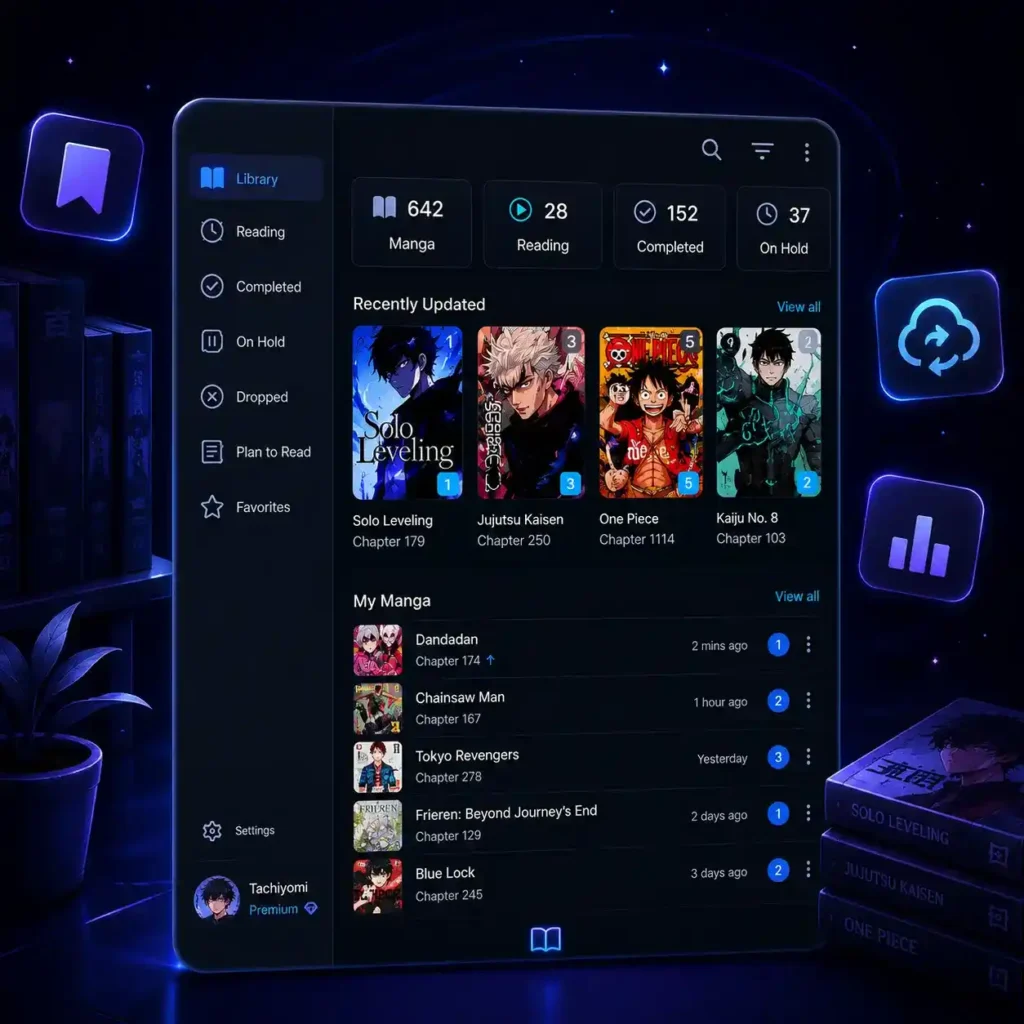
When you open the app, the Library tab is the first thing you see. This is where all your saved manga series live. Every title you add from any source shows up here.
You can filter your library by Downloaded, Unread, Completed, Bookmarked, or Started. Switch between grid view (cover art tiles) and list view (title list) depending on what you prefer. Create custom categories and sort your manga any way you like — by title, date added, last read, or unread count.
The library also has a clean button to remove unused data and a search bar to find any title instantly. If you tap a manga and long-press a chapter, you get the option to download it, mark it as read, or delete it.
Browse Section — Find New Manga and Manage Extensions
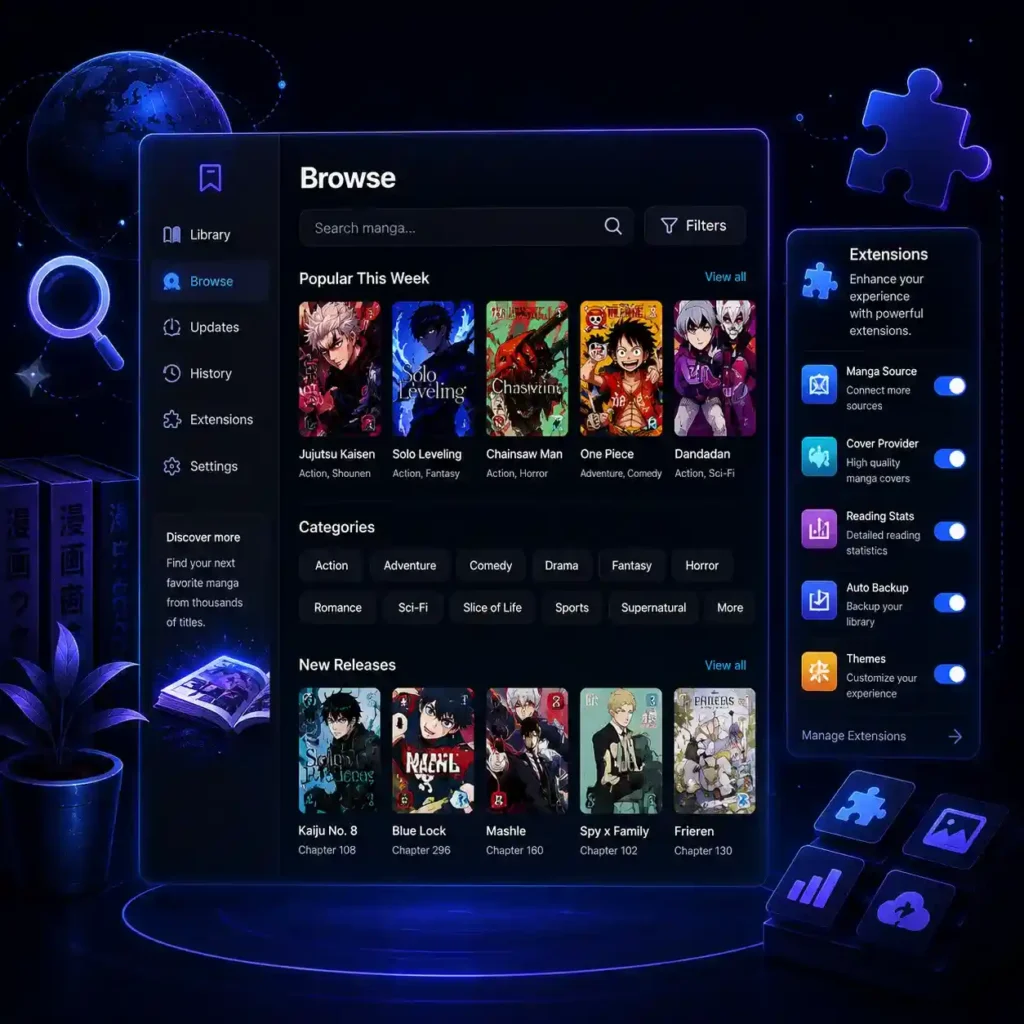
The Browse tab is where you discover content and manage your sources. It has three main parts:
Sources — A list of all your installed extensions. Tap any source to open it and search or browse its catalog directly. Pin your favourite sources to the top for quick access.
Extensions — This is where you install, update, and remove extensions. If an extension has an available update, you will see a button to install it. Keeping extensions updated is the single best thing you can do to avoid broken sources.
Migrate — A powerful tool that lets you move a manga title from one source to another. Useful when a source goes down and you want to continue reading from a different site without losing your progress.
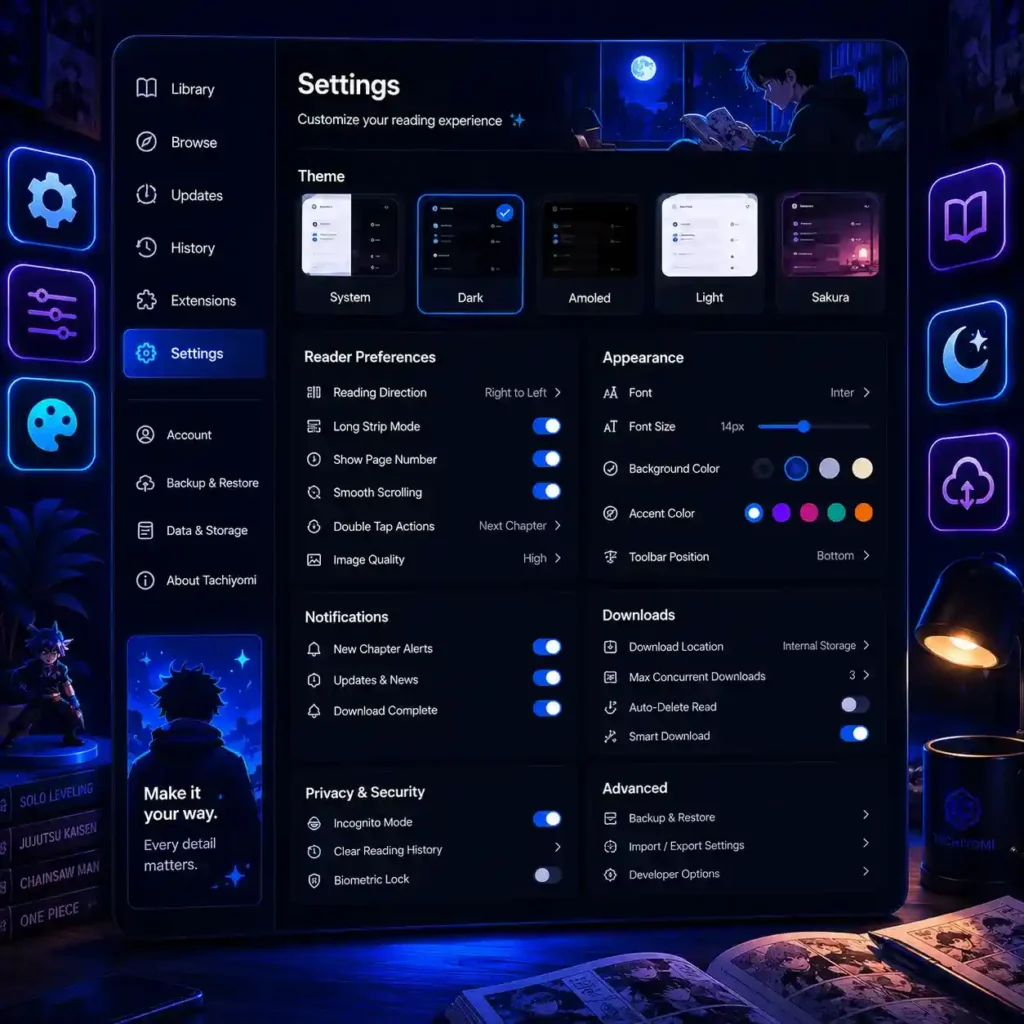
Settings Section — Customize Everything
The Tachiyomi Settings tab is where the real control lives. Here is what you can do:
- Downloaded Only — Show only manga that has been saved to your phone, ignoring everything else in your library
- Incognito Mode — Stop the app from saving any reading history while this mode is on
- Download Queue — See all chapters currently downloading, pause or resume them any time
- Categories — Create, rename, reorder, or delete library categories
- Appearance — Change themes, font size, grid/list layout, and more
- Reader — Control reading direction, page transitions, zoom behavior, and screen-on settings
- Tracking — Connect MyAnimeList, AniList, Kitsu, MangaUpdates, or Shikimori
- Backup & Restore — Create and restore full library backups
- Advanced — Clear cache, update Android WebView, change the user agent string, and more
Tachiyomi Reading Modes — Which One Is Right for You?
One thing that really sets Tachiyomi apart is the reading mode system. You get six different options and can switch between them any time from inside the reader. Here is what each one does and who it is best for.
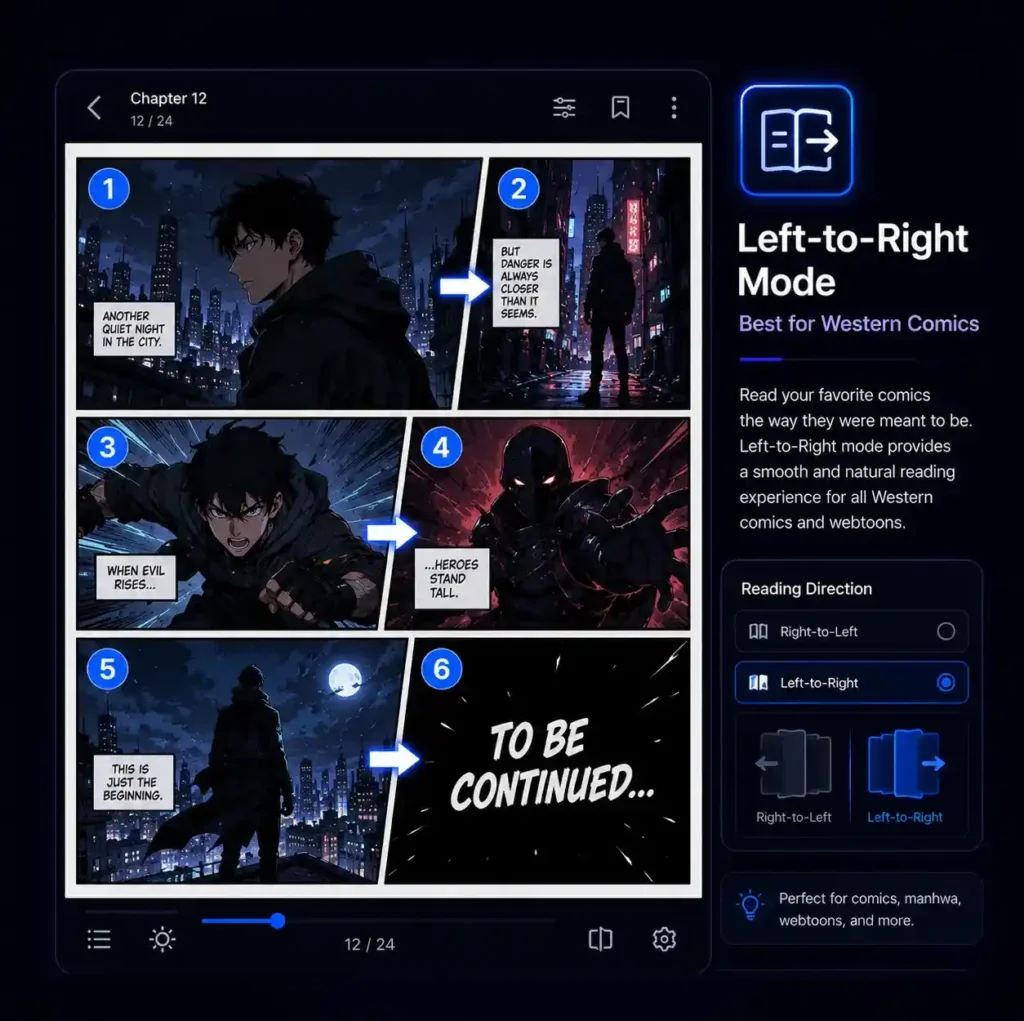
Left-to-Right Mode — Best for Western Comics
Pages go from left to right, just like reading a regular book or a Western comic. Swipe left to go forward, swipe right to go back. If you are new to manga or mostly read American-style comics and graphic novels, start with this mode — it will feel completely natural.
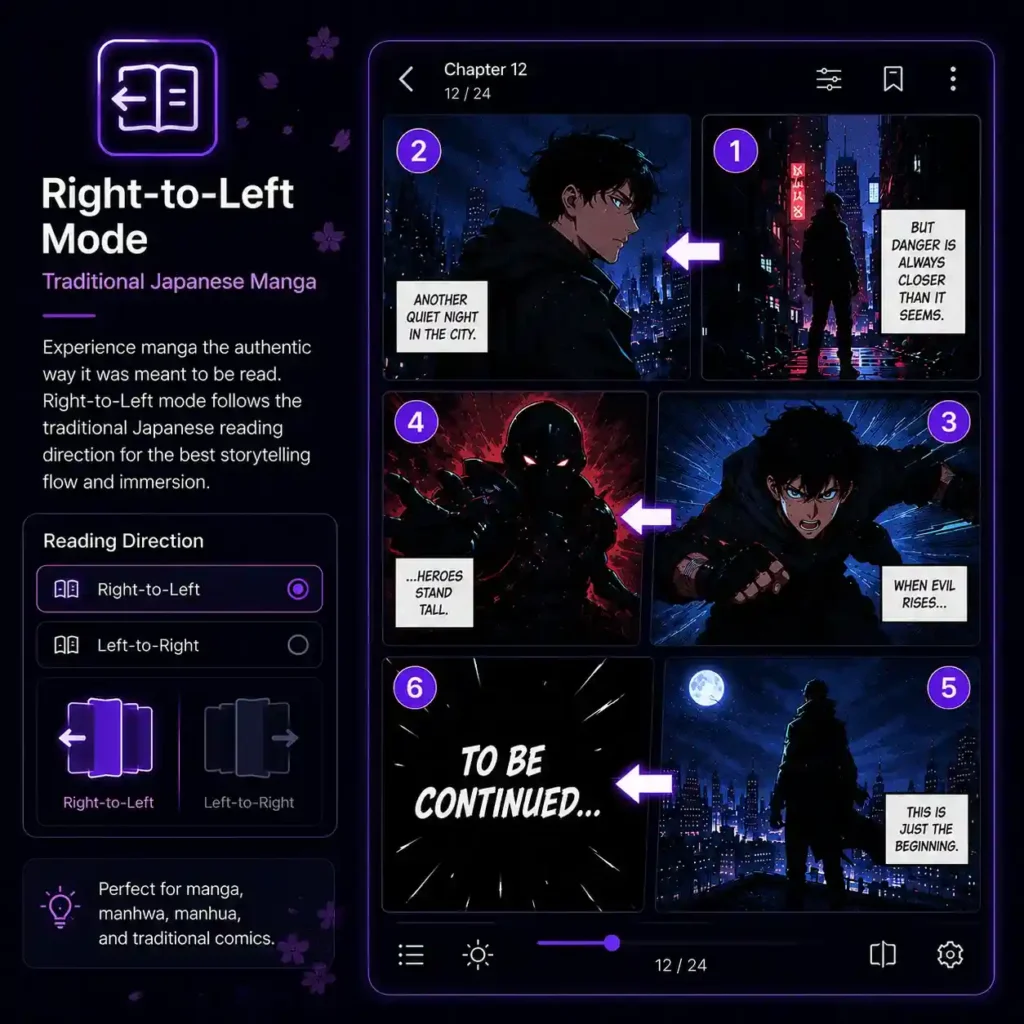
Right-to-Left Mode — Traditional Japanese Manga
This is the authentic way to read Japanese manga. Swipe right to go forward, swipe left to go back. Japanese manga is written and read in this direction, so panels and speech bubbles are designed for it. Once you get used to it, reading Japanese manga any other way feels wrong. Most longtime manga readers use this mode.
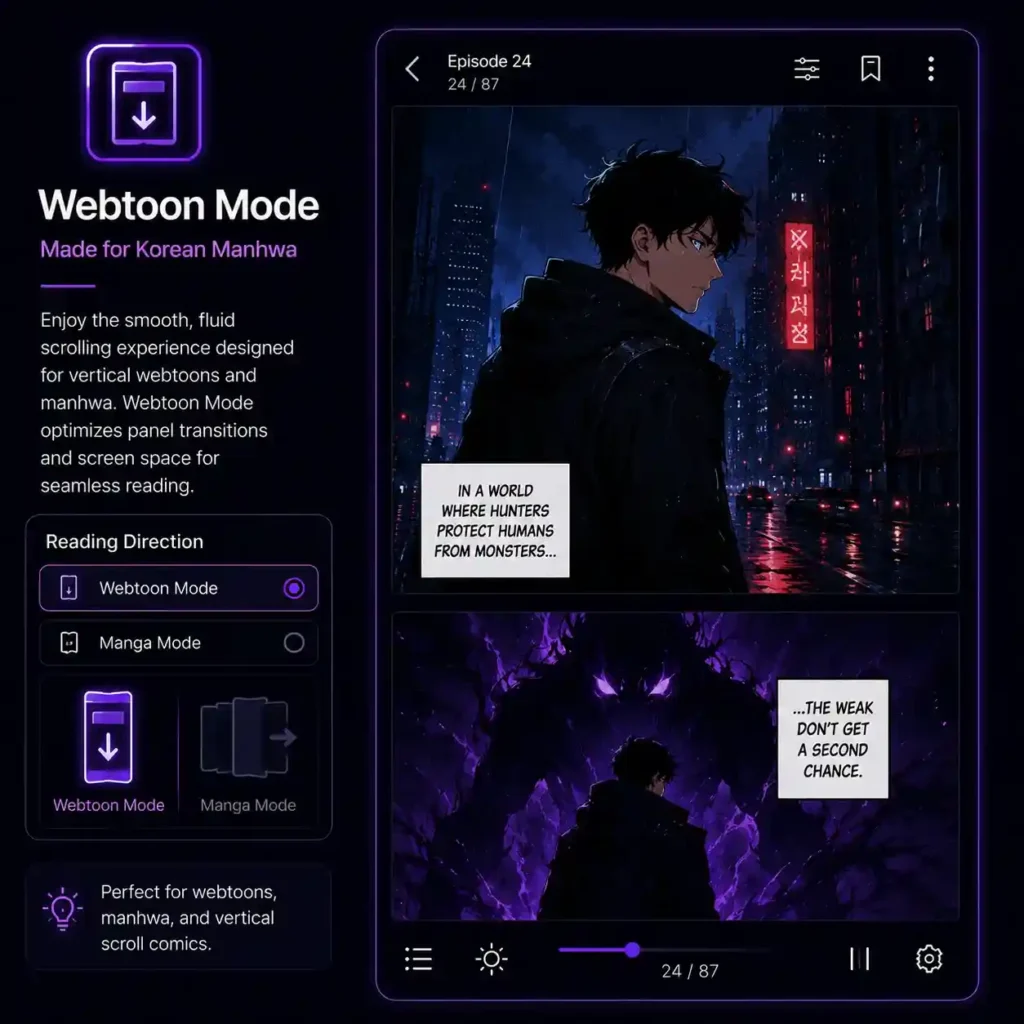
Webtoon Mode — Made for Korean Manhwa
Webtoon mode is probably the most loved feature in the app. Instead of tapping through individual pages, you scroll down continuously — like scrolling through a long web page. The black gaps that appear between panels in other modes are completely removed, giving you one smooth, uninterrupted reading experience. If you read Korean webtoons or manhwa, always use this mode.
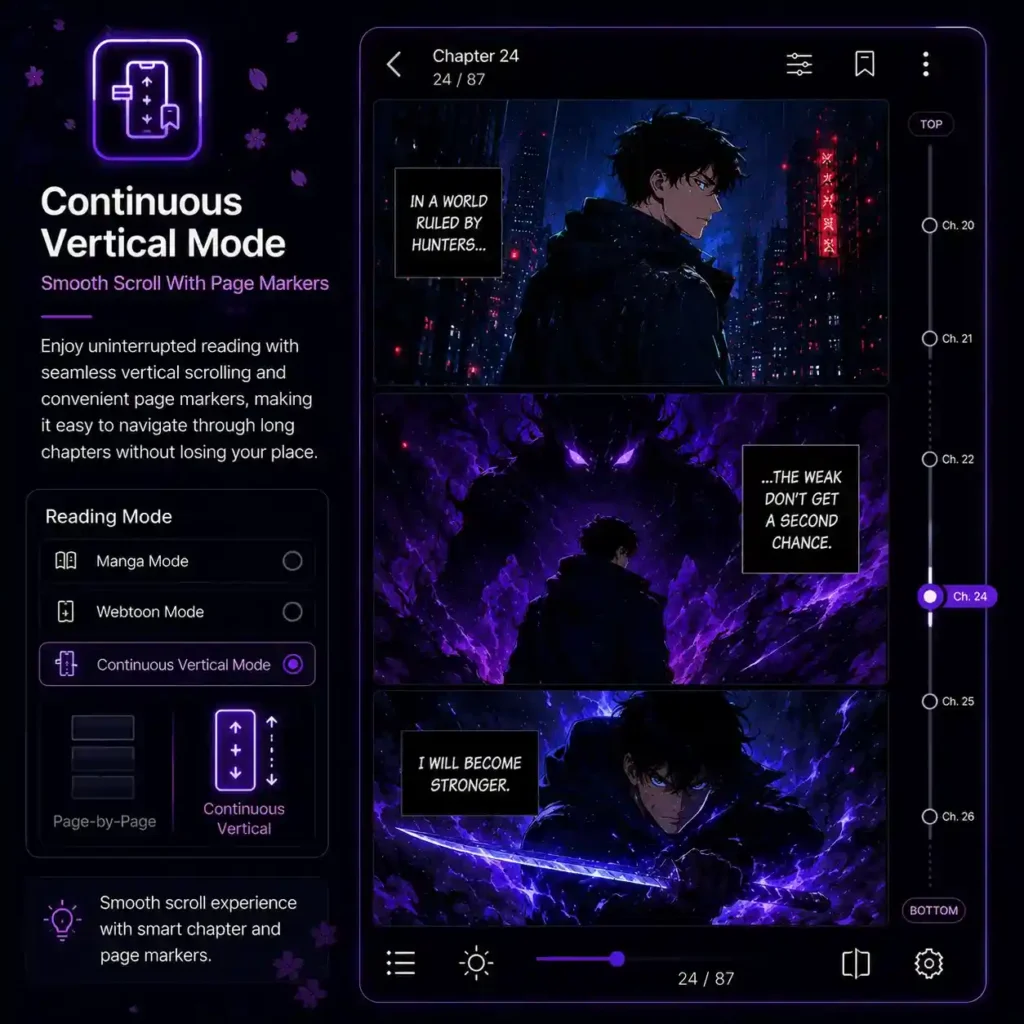
Continuous Vertical Mode — Smooth Scroll With Page Markers
Very similar to Webtoon mode, but this one keeps small page break indicators as you scroll. Some readers prefer this because it gives a sense of where each page ends. Works great for traditional manga. For manhwa and webtoons, you may see tiny black gaps between panels — switch to Webtoon mode to remove those.
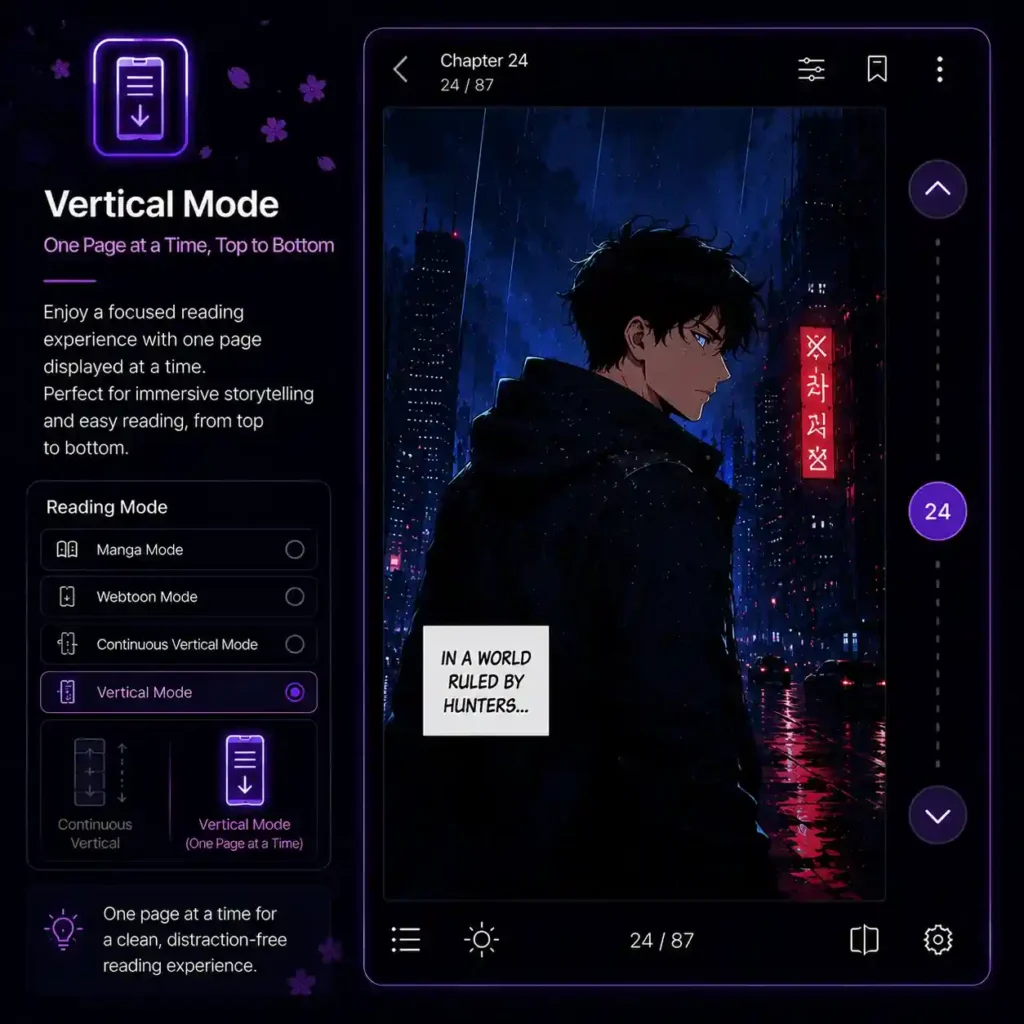
Vertical Mode — One Page at a Time, Top to Bottom
Swipe up to go forward, swipe down to go back. Simple vertical page-by-page reading. A good middle ground if you want individual page control but prefer vertical swiping over horizontal.
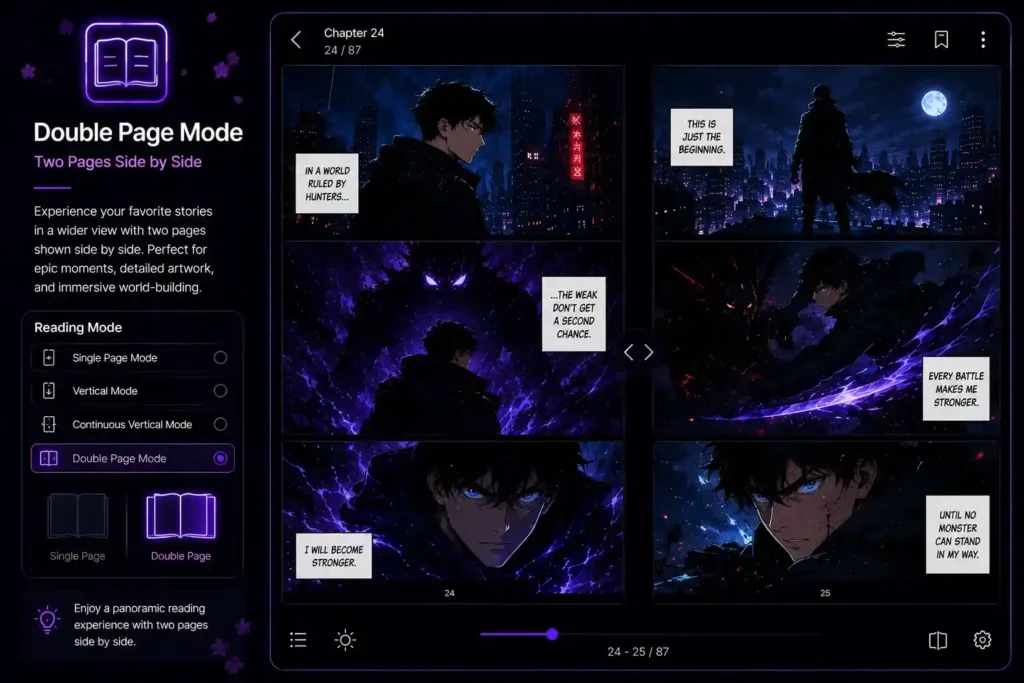
Double Page Mode — Two Pages Side by Side
Shows two pages at the same time, like opening a physical manga volume and seeing both pages at once. This mode is amazing on larger phones or tablets, especially for chapters with two-page spread artwork that only looks right when both pages are visible together.
Tachiyomi Extensions — How to Get and Use Them in 2026
What Exactly Are Extensions?
An extension is a small APK file — separate from the main app — that teaches the reader how to connect to one specific manga website. Think of it like a translator. The extension reads the website’s content and converts it into a clean, readable format inside the app.
Each extension connects to exactly one source. If that source’s website changes its layout, the extension breaks until someone updates it. This is completely normal — it just means extensions need to be kept up to date, the same way you update any other app.
How to Add Extension Repos in 2026
After the original Tachiyomi extensions were removed in January 2024, the community created independent repositories to bring everything back. The most reliable one is the Keiyoushi repo for Tachiyomi. Here is how to add it:
- Open the app and go to Browse
- Tap the settings icon near the Extensions tab
- Tap Extension repos → Add repo
- Paste the Keiyoushi repo URL and tap OK
- Tap Refresh — all available extensions will load
- Find the ones you want and tap Install
The Keiyoushi repository has hundreds of extensions covering almost every major manga, manhwa, and manhua source. It is the best starting point for any fresh setup in 2026.
Best Extensions for Japanese Manga
- MangaDex — The gold standard. Massive library, high-quality scans, legal fan translations, multiple translation groups per series. Install this first.
- MangaSee — Reliable backup source. Good coverage of popular ongoing series.
- Mangakakalot — One of the fastest-loading sources. Great for discovering older series.
- Batoto — Community-driven, clean scans, active uploaders.
Best Extensions for Manhwa and Korean Webtoons
- Asura Scans — The most popular source for action manhwa. Fast releases, high quality.
- Flame Scans — Strong catalog of romance and fantasy manhwa.
- Reaper Scans — Specializes in isekai and fantasy manhwa with a consistent schedule.
- Webtoon extensions — Official Webtoon platform content — free daily episodes.
Best Extensions for Manhua (Chinese Comics)
- ManhuaPlus — Best English-translated Chinese manhua selection.
- CatManga — Wide catalog with regular updates.
- Dynasty Scans — Great for yuri and slice-of-life manhua, plus a solid older archive.
How to Fix a Broken or Not Working Extension
Extension problems are the most common thing users complain about. Here is the quick checklist:
- Go to the Extensions tab and check if there is an update available — install it
- Open the source in WebView mode inside the app and clear its cookies
- Update Android System WebView from the Play Store — this fixes a surprising number of issues
- Try a VPN if the source is geo-blocked in your country
- If the extension is permanently dead, use the Migrate tool to move your manga to a working source
Tachiyomi Library and Settings — Power User Tips
You have the app set up. Now let us make it work really well for you.
How to Organize Your Library With Categories
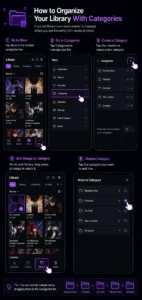
Go to More → Categories → tap the + button to make a new category. Name it whatever makes sense — “Reading Now”, “Finished”, “On Hold”, “Plan to Read”, “Dropped”. Then go to your library, long-press a manga, and tap the category you want to put it in. You can reorder categories by dragging them. A sorted library is so much easier to manage when you are following 30+ series at once.
How to Download Manga for Offline Reading
Open any manga in your library. Long-press a chapter and tap Download to grab that one chapter. For bulk downloading, tap the three-dot menu on the manga cover and choose Download — pick how many you want (next 5, next 10, all unread, or everything). Check your Download Queue to see progress. Set your preferred storage location under Settings → Downloads.
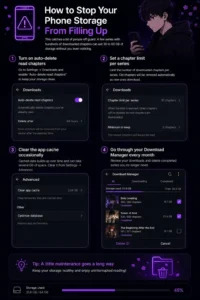
How to Stop Your Phone Storage From Filling Up
This catches a lot of people off guard. A few series with hundreds of downloaded chapters can eat 30 to 60 GB of storage without you even noticing. Here is how to stay in control:
- Turn on auto-delete read chapters in Settings → Downloads
- Set a chapter limit per series so old chapters are removed as new ones download
- Clear the app cache occasionally from Settings → Advanced
- Go through your Download Manager every month and delete completed series
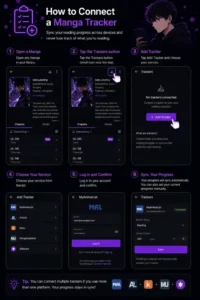
How to Connect a Manga Tracker
Open any manga in your library. Tap the Trackers button (small icon near the top). Tap Add Tracker and choose your service — MyAnimeList, AniList, Kitsu, MangaUpdates, or Shikimori. Log in and confirm. From that point on, finishing a chapter automatically updates your tracker. You can also manually set your current progress if you are adding a series you have already been reading elsewhere.
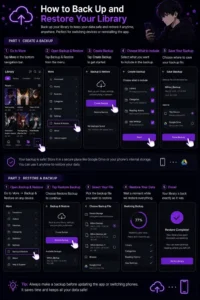
How to Back Up and Restore Your Library
Go to More → Backup & Restore → Create Backup. Choose what to include — your library, categories, reading history, and app settings. Save the file to your phone or Google Drive.
To restore it, open the same menu on any device with the app or Mihon installed. Tap Restore Backup, pick your file, and wait a moment. Your entire library comes back exactly as it was — same categories, same reading positions, same settings. Always make a backup before updating the app or switching phones.
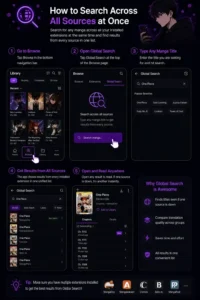
How to Search Across All Sources at Once
Go to Browse → Global Search. Type any manga title. The app searches all your installed extensions at the same time and shows results from every source in one list. Extremely useful when one source is down — you can instantly find the same title working on another source. Also great for comparing translation quality across different groups.
Tachiyomi vs Mihon — Which One Should You Use in 2026?
| Feature | Tachiyomi (Original) | Mihon |
|---|---|---|
| Still Being Updated | ❌ No — stopped Jan 2024 | ✅ Yes — actively maintained |
| Android Required | 6.0+ | 8.0+ |
| Extension Support | ✅ Works with community repos | ✅ Works with community repos |
| User Interface | Classic | Nearly identical, slightly refined |
| Import Tachiyomi Backup | ✅ | ✅ One-tap import |
| Security Updates | ❌ None anymore | ✅ Regular patches |
| Community Support | Limited — old forums | Active Discord and GitHub |
| Price | Free | Free |
| Performance | Good | Good, slightly improved |
Should You Switch from Tachiyomi to Mihon?
For most users, yes. The experience is basically the same — but Mihon keeps getting better while the original is frozen in time. Moving is simple: create a backup in the original app, open Mihon, import the backup, and you are done. Every manga, every category, every reading position comes with you.
The only reason to stick with the original is if your Android version is 6 or 7 (Mihon needs Android 8+) or if you use a specific extension that only works on the older extension API. For everyone else, Mihon is the sensible upgrade.
Tachiyomi vs Aniyomi — If You Also Watch Anime
If you read manga and also watch anime, Aniyomi is worth a look. It has everything the base app has for reading manga, plus full anime streaming support. Follow a manga series and its anime adaptation from the exact same app. If you only read manga and never watch anime, Mihon is more focused and slightly lighter.
Alternatives for iPhone and iPad Users
iPhone and iPad users cannot run the original app directly. Here are the closest free alternatives for iOS:
- Paperback — The most similar experience to the original on iOS. Open-source, extension-based, active community. Highly recommended.
- Aidoku — Clean, modern interface with growing source support. Also free and open-source.
- AltStore — A tool for sideloading apps on iOS, used to install Paperback and Aidoku without jailbreaking.
Tachiyomi APK Vs Tachiyomi Mod APK
| Feature | Original APK | Mod APK |
|---|---|---|
| Source | Official GitHub | Unknown third parties |
| Safety | ✅ Verified open-source code | ❌ Cannot be verified |
| Ads | Zero | Usually claims “no ads” — often adds hidden ones |
| Security Updates | Regular (via Mihon fork) | None |
| Backup Compatibility | ✅ Full | ⚠️ May not work with official backups |
| Extensions | All community repos supported | Sometimes pre-loaded but outdated |
| Incognito Mode | ✅ | Sometimes present |
| Official Support | Community forums, GitHub, Discord | None |
| Risk Level | Low | High — potential malware |
Our strong recommendation: skip the Mod APK entirely. The original app is already 100% free with no ads. There is nothing a Mod version gives you that the real app does not already offer — and Mod APKs carry a real risk of hidden trackers or malware. Always download from a trusted source.
Tachiyomi Not Working? Fix These Common Problems
Extensions breaking, app freezing, chapters not loading — these issues come up for almost everyone at some point. Here is how to fix the most common ones quickly and easily.
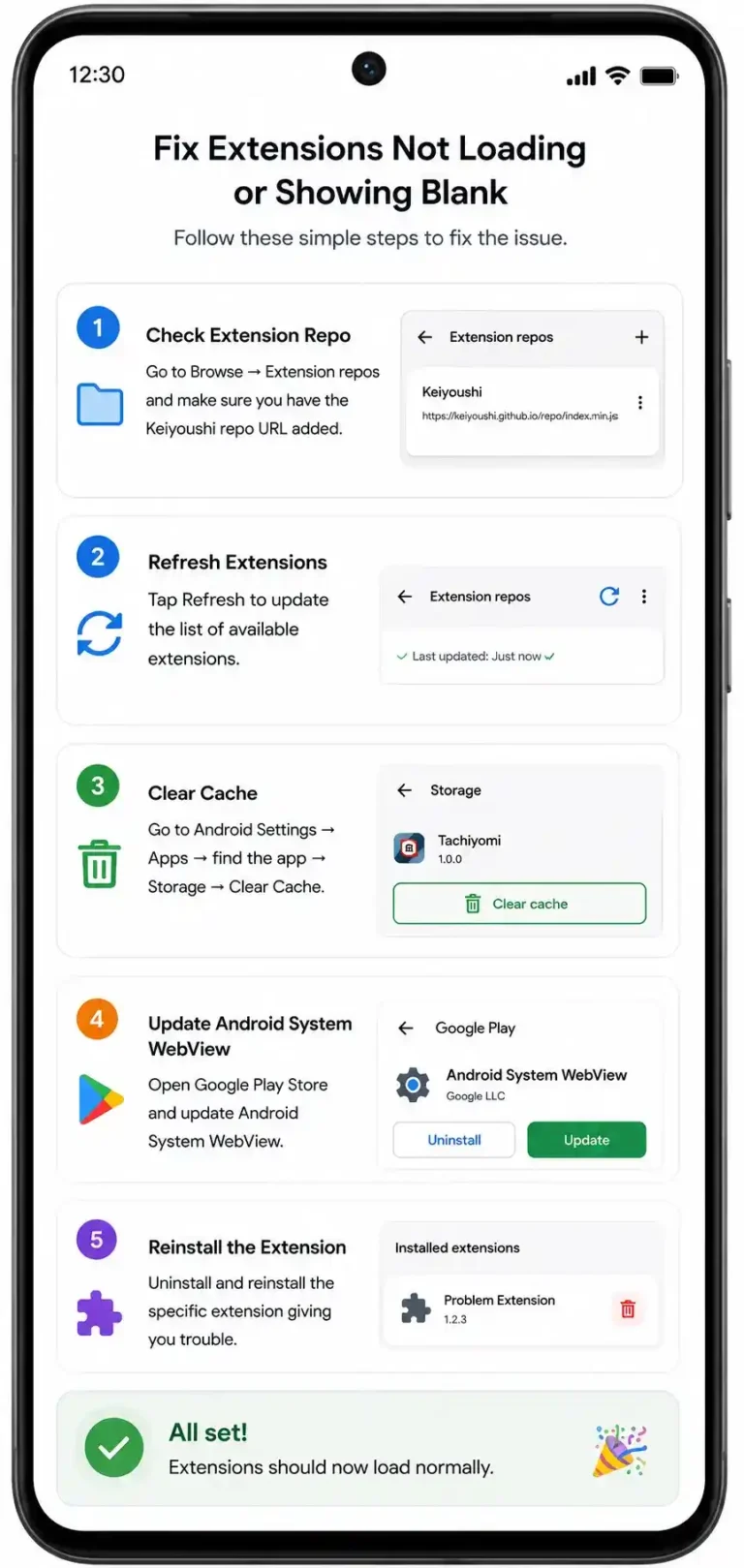
Fix: Extensions Not Loading or Showing Blank
This is the most common problem, especially after the 2024 extension changes. Try these steps in order:
- Go to Browse → Extension repos — make sure you have the Keiyoushi repo URL added
- Tap Refresh
- If extensions still do not appear, go to Android Settings → Apps → find the app → Storage → Clear Cache
- Open Google Play Store and update Android System WebView — this one fix solves a huge number of extension loading failures
- Uninstall and reinstall the specific extension giving you trouble
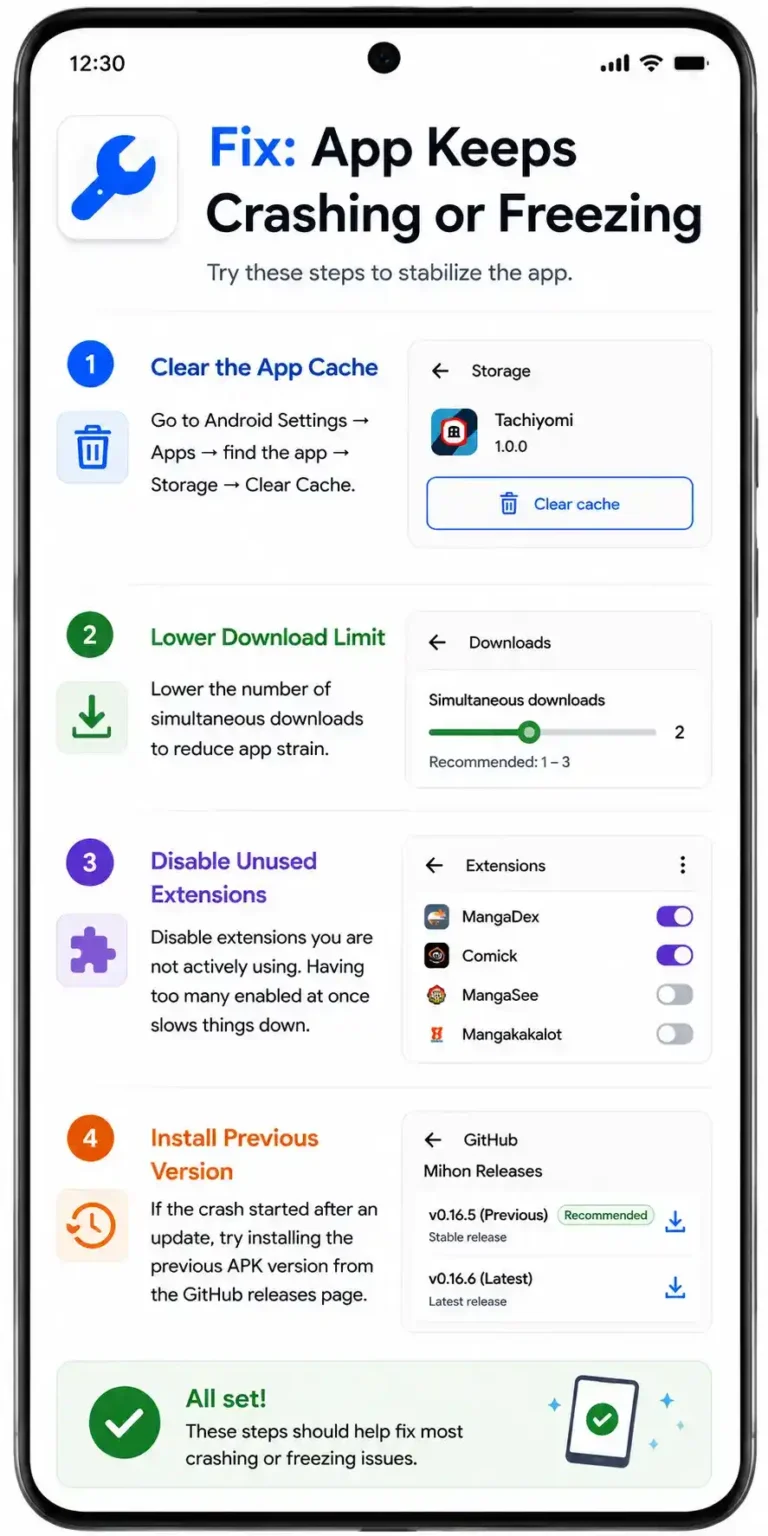
Fix: App Keeps Crashing or Freezing
- Clear the app cache from Android Settings
- Lower the number of simultaneous downloads (Settings → Downloads → reduce limit)
- Disable extensions you are not actively using — having too many enabled at once slows things down
- If the crash started after an update, try installing the previous APK version from the GitHub releases page
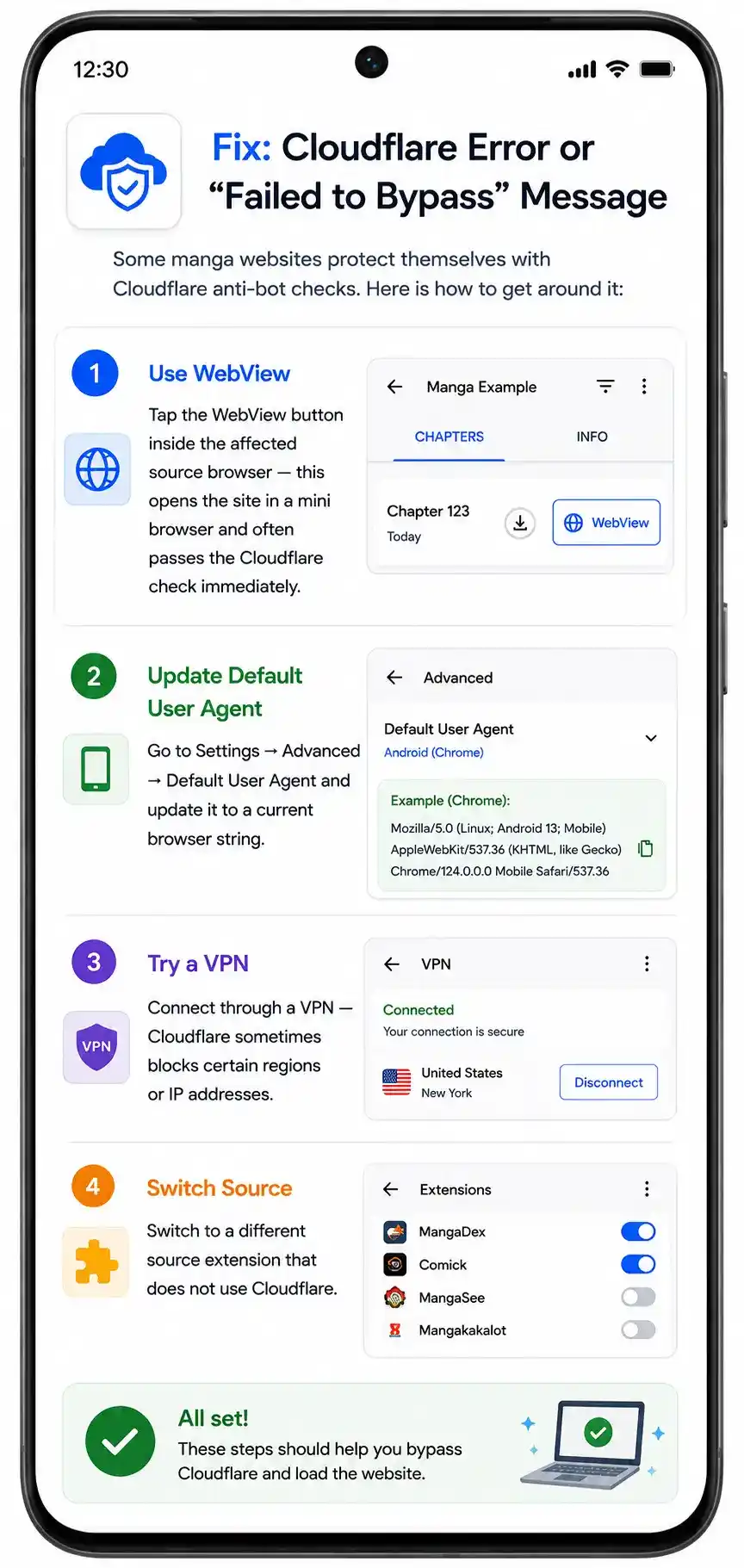
Fix: Cloudflare Error or “Failed to Bypass” Message
Some manga websites protect themselves with Cloudflare anti-bot checks. Here is how to get around it:
- Tap the WebView button inside the affected source browser — this opens the site in a mini browser and often passes the Cloudflare check immediately
- Go to Settings → Advanced → Default User Agent and update it to a current browser string
- Try connecting through a VPN — Cloudflare sometimes blocks certain regions or IP addresses
- Switch to a different source extension that does not use Cloudflare
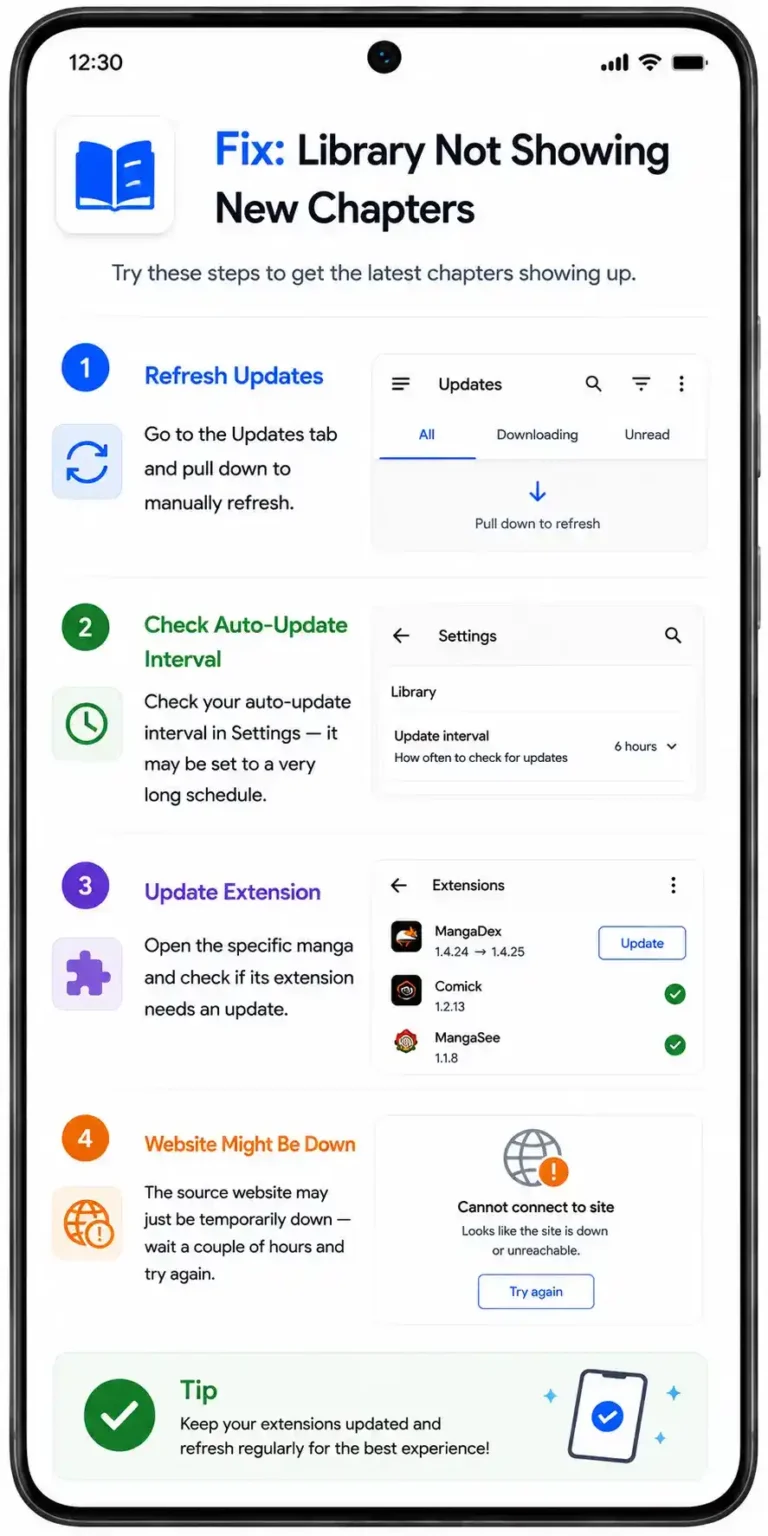
Fix: Library Not Showing New Chapters
- Go to the Updates tab and pull down to manually refresh
- Check your auto-update interval in Settings — it may be set to a very long schedule
- Open the specific manga and check if its extension needs an update
- The source website may just be temporarily down — wait a couple of hours and try again
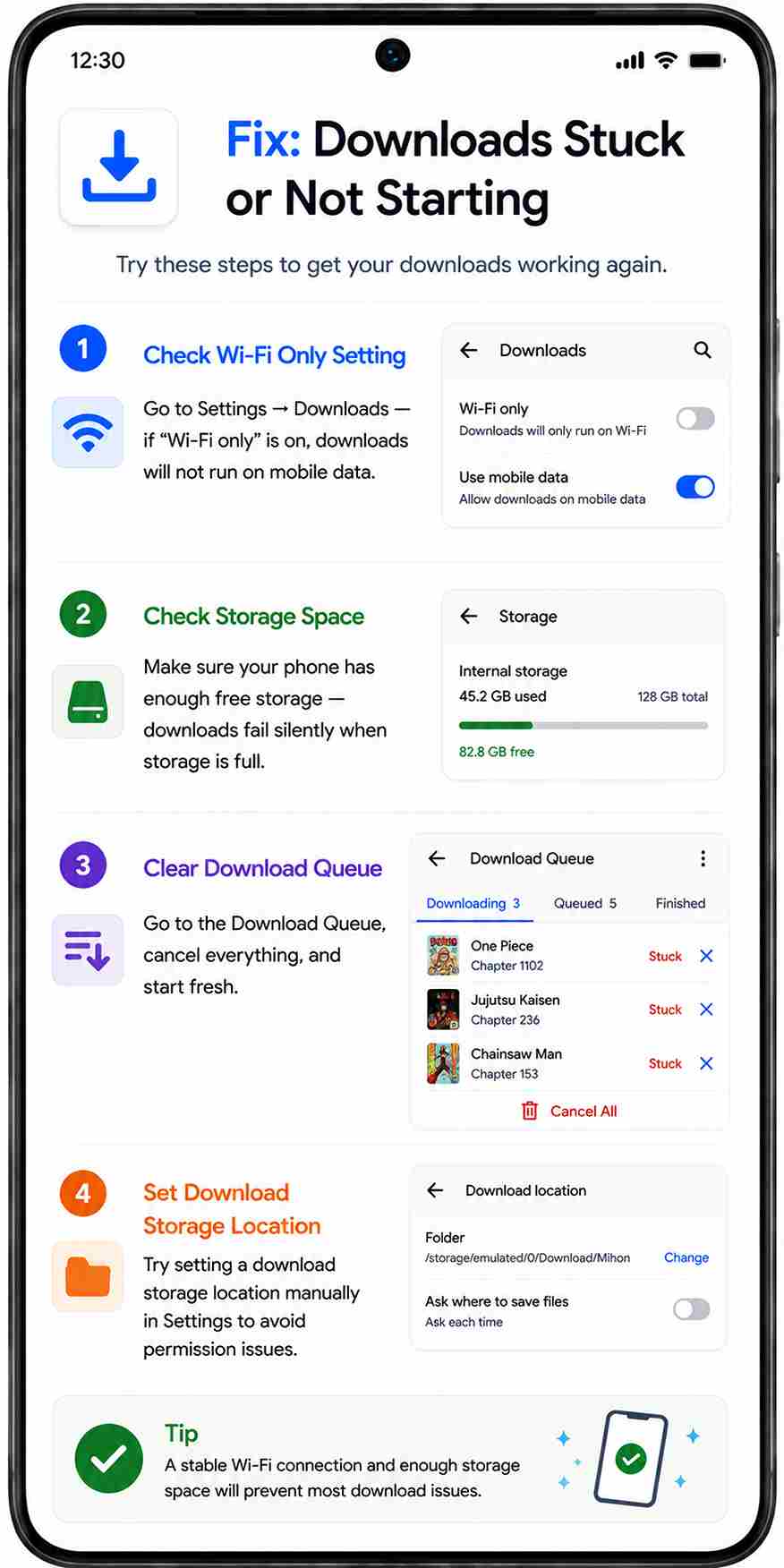
Fix: Downloads Stuck or Not Starting
- Check Settings → Downloads — if “Wi-Fi only” is on, downloads will not run on mobile data
- Make sure your phone has enough free storage — downloads fail silently when storage is full
- Go to the Download Queue, cancel everything, and start fresh
- Try setting a download storage location manually in Settings to avoid permission issues
How to Download and Install Tachiyomi APK — Step by Step Guide
Ready? This takes about five minutes from start to reading your first manga. Follow each step and you will be set up in no time.
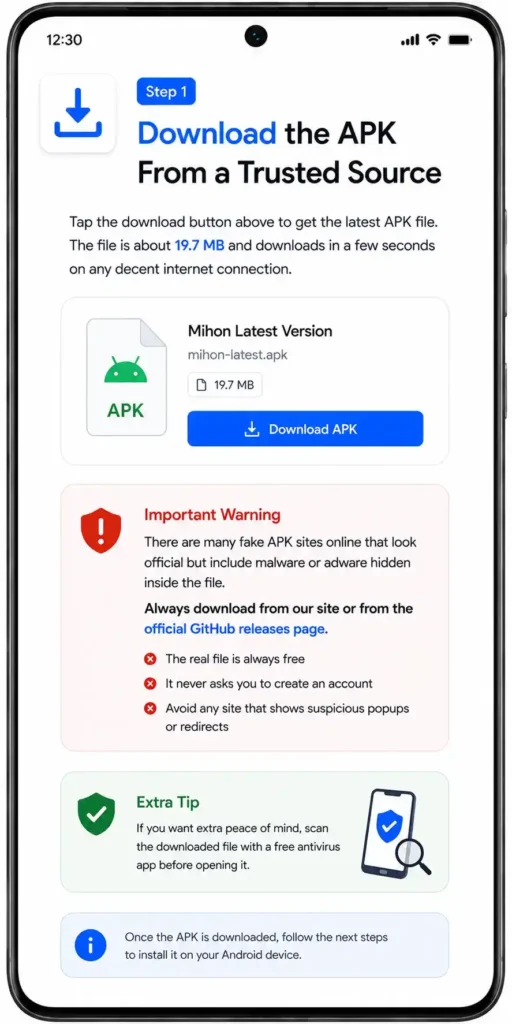
Step 1 — Download the APK From a Trusted Source
Tap the download button above to get the latest APK file. The file is about 19.7 MB and downloads in a few seconds on any decent internet connection.
One important warning — there are many fake APK sites online that look official but include malware or adware hidden inside the file. Always download from our site or from the official GitHub releases page. The real file is always free and never asks you to create an account. If you want extra peace of mind, scan the downloaded file with a free antivirus app before opening it.
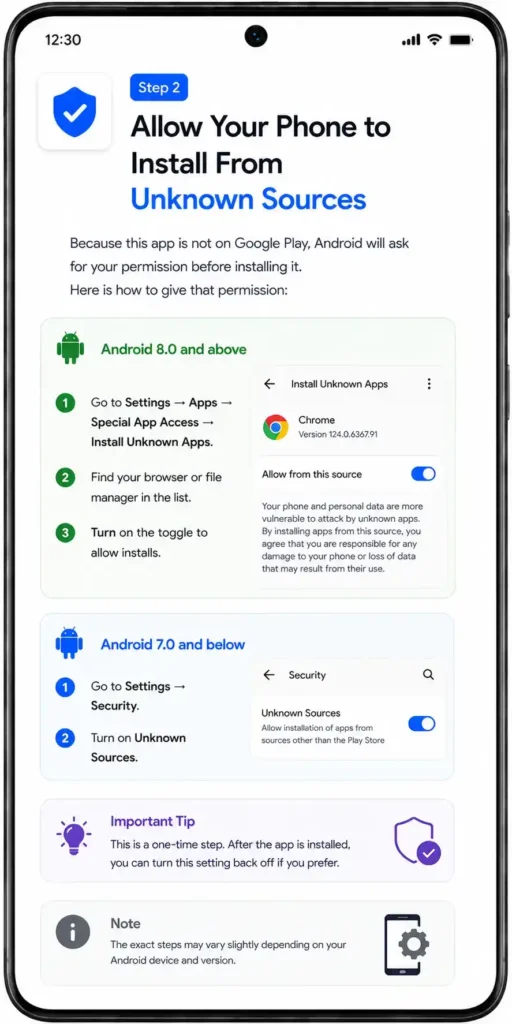
Step 2 — Allow Your Phone to Install From Unknown Sources
Because this app is not on Google Play, Android will ask for your permission before installing it. Here is how to give that permission:
- Android 8.0 and above — Go to Settings → Apps → Special App Access → Install Unknown Apps. Find your browser or file manager in the list and turn on the toggle.
- Android 7.0 and below — Go to Settings → Security and turn on Unknown Sources.
This is a one-time step. After the app is installed, you can turn this setting back off if you prefer.
Step 3 — Open the Tachiyomi APK and Install It
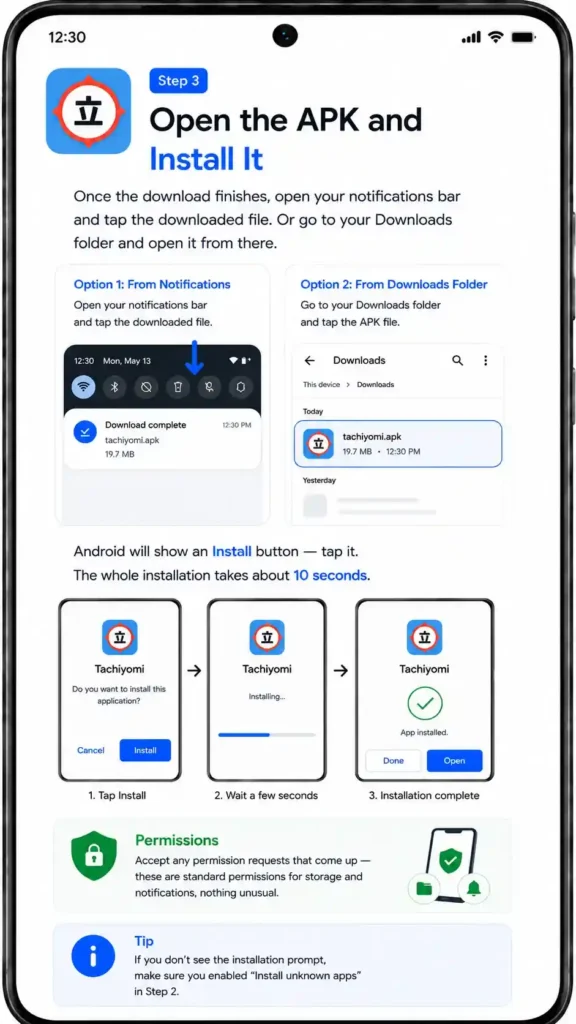
Once the download finishes, open your notifications bar and tap the downloaded file. Or go to your Downloads folder and open it from there. Android will show an Install button — tap it. The whole installation takes about 10 seconds. Accept any permission requests that come up — these are standard permissions for storage and notifications, nothing unusual.
Step 4 — Add Your First Manga Source Using Extensions
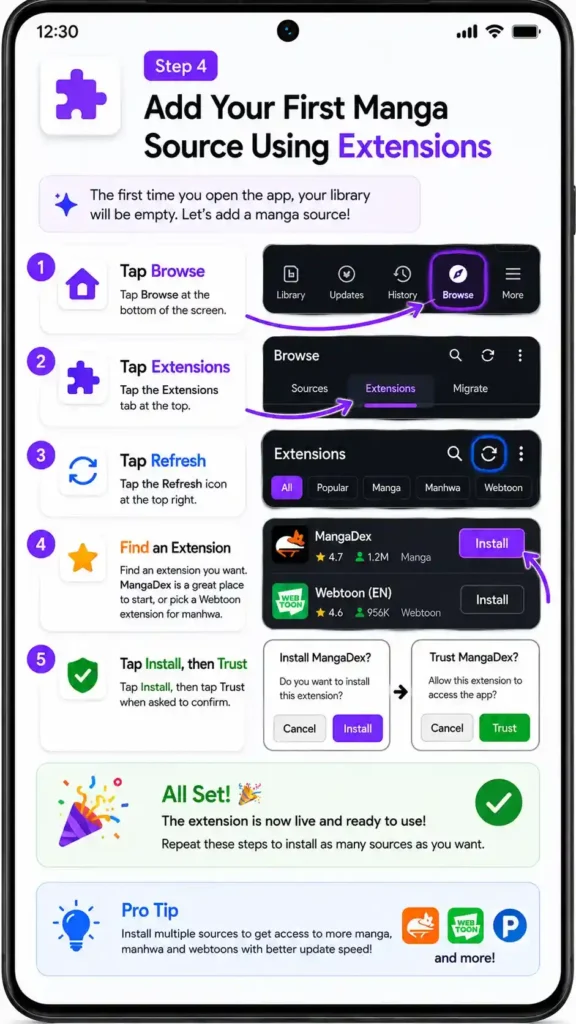
The first time you open the app, your library will be completely empty. That is totally normal. You just need to add a manga source first.
- Tap Browse at the bottom of the screen
- Tap the Extensions tab
- Tap Refresh at the top right
- Find an extension you want — MangaDex is a great place to start for manga, or pick a Webtoon extension for manhwa
- Tap Install, then tap Trust when asked
That extension is now live and ready. Repeat for as many sources as you want.
Step 5 — Search for Manga and Build Your Library
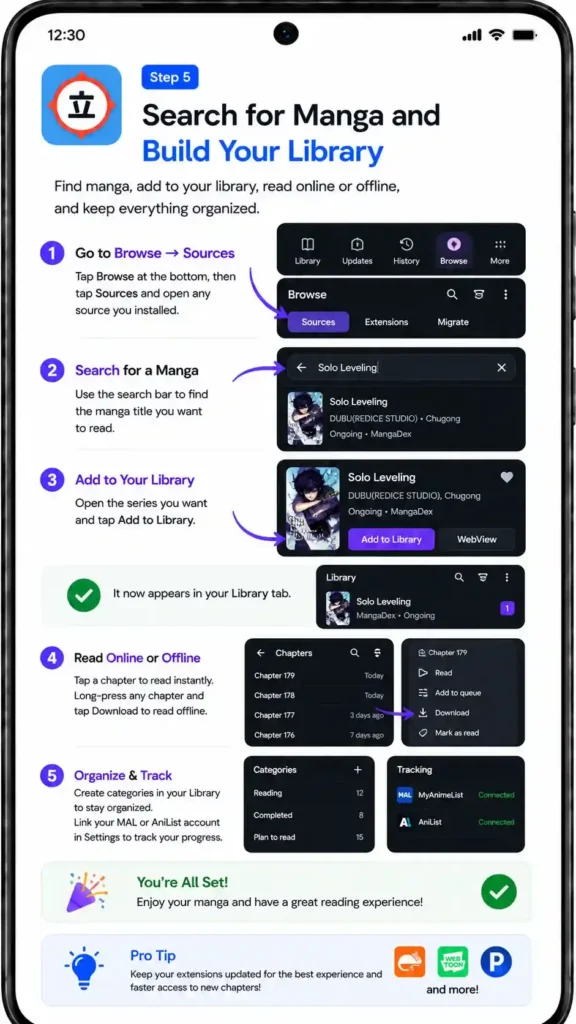
Tap Browse → Sources, open any source you just installed, and search for a manga title. Tap the series you want, then tap Add to Library. It now appears in your Library tab.
Want to read offline? Long-press any chapter and tap Download. Want to read right now? Just tap the chapter and it opens instantly.
Head to your Library, set up some categories to keep things organized, and link your MAL or AniList account in Settings if you use a tracker. You are all set. Enjoy reading!
Step 6 — Set Up Download Settings for Offline Reading
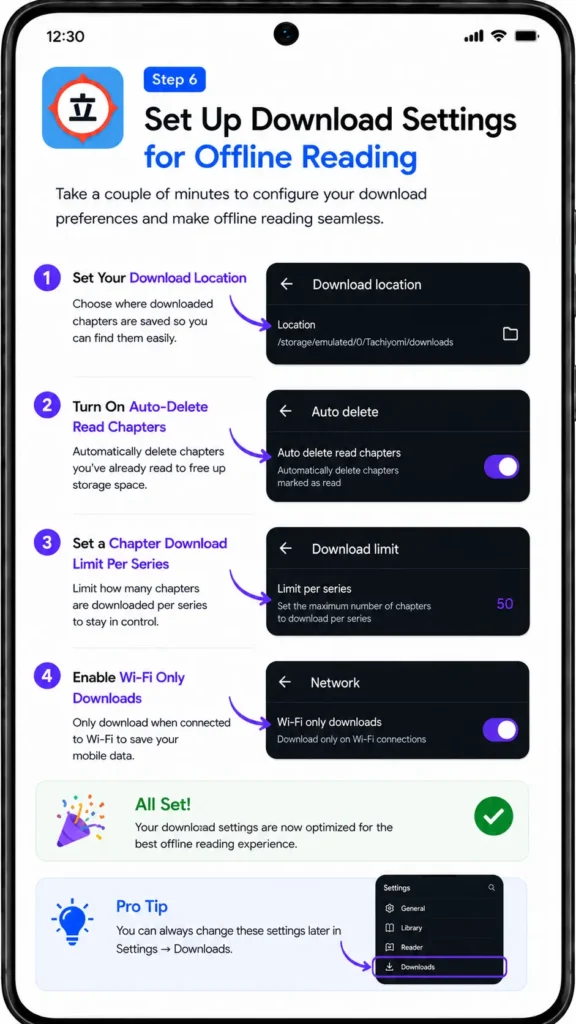
While you are in Settings, it is worth taking two minutes to configure your download preferences:
- Set your download location so you know exactly where chapters are saved
- Turn on auto-delete read chapters to stop your storage from filling up
- Set a chapter download limit per series if you want even more control
- Enable Wi-Fi only downloads if you want to save mobile data
These small settings save a lot of headaches later.
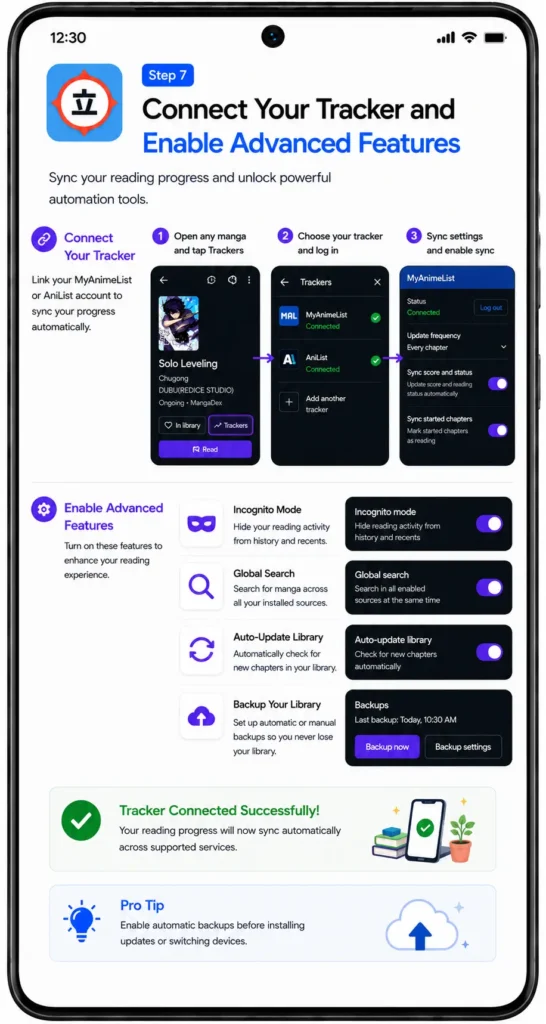
Step 7 — Connect Your Tracker and Enable Advanced Features
If you track your reading on MyAnimeList or AniList, open any manga in your library and tap the Trackers button. Log in and link your account. Every chapter you finish will now update your tracker automatically.
A few other advanced features worth turning on:
- Incognito Mode — hides reading activity from history
- Global Search — searches all your sources at once
- Auto-update library — checks for new chapters automatically
- Backup — set up automatic or manual backups so you never lose your library
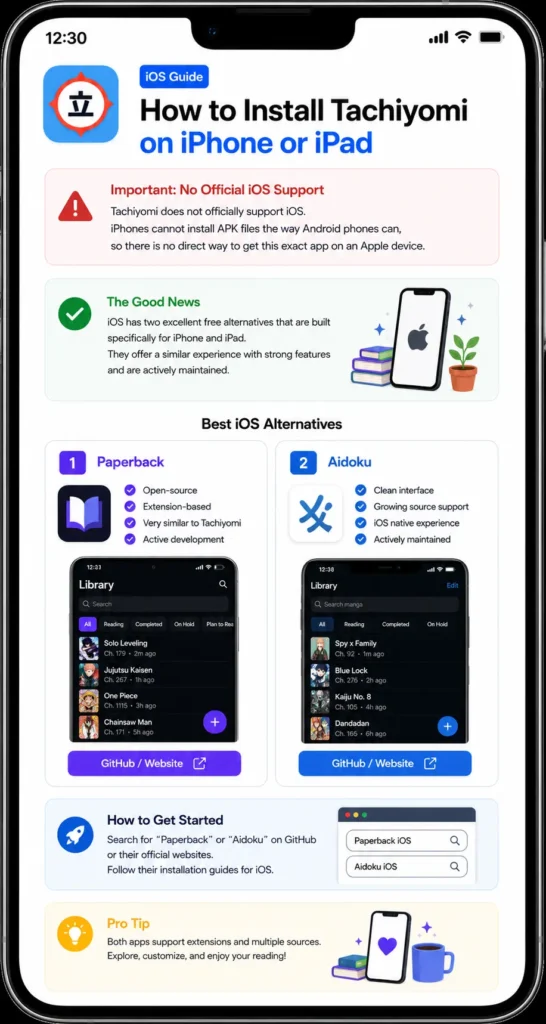
How to Install Tachiyomi on iPhone or iPad
The app does not officially support iOS. iPhones cannot install APK files the way Android phones can, so there is no direct way to get this exact Tachiyomi app on an Apple device.
The good news is that iOS has two great free alternatives built specifically for it:
- Paperback — open-source, extension-based, very similar experience
- Aidoku — clean interface, growing source support, actively maintained
Search for either on GitHub or their official websites to get started.
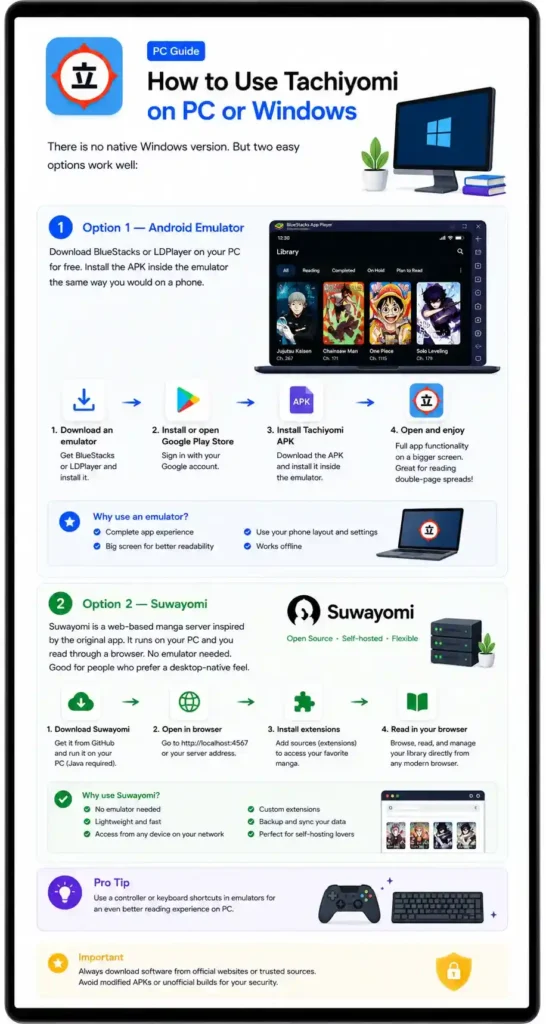
How to Use Tachiyomi on PC or Windows
There is no native Windows version. But two easy options work well:
Option 1 — Android Emulator: Download BlueStacks or LDPlayer on your PC for free. Install the APK inside the emulator the same way you would on a phone. Full app functionality, on a bigger screen — great for reading double-page spreads.
Option 2 — Suwayomi: This is a web-based manga server inspired by the original app. It runs on your PC and you read through a browser. No emulator needed. Good for people who prefer a desktop-native feel.
Tachiyomi APK — Honest Pros and Cons (2026)
| ✅ Pros | ❌ Cons |
|---|---|
| Completely free — zero hidden costs, ever | Not on Google Play Store — you have to sideload it |
| No ads or pop-ups while reading | Original project officially stopped in January 2024 |
| 8,000+ manga, manhwa, and manhua sources via extensions | Extensions can break when manga websites update their layout |
| Download full volumes for offline reading | First-time setup can feel confusing for beginners |
| Open-source code — anyone can verify it is safe | No official iPhone or iPad version |
| Six reading modes for every type of content | Large downloads can drain battery faster |
| Sync reading progress with MAL, AniList, Kitsu, Shikimori | Offline chapters can consume a lot of storage |
| Custom library categories and smart filters | Some extensions stop working when source sites shut down |
| Fast and lightweight on older phones | No official security patches from the original team |
| No account or login required | Adult content extensions require manual setup |
| Supports manga, manhwa, manhua, and light novels | No built-in cloud sync system |
| Quick backup and restore across devices | Cloudflare protection may block some sources |
| Chapter update notifications | Many fake APK mirror sites exist online |
| Incognito mode for private reading | Older Android devices may have compatibility issues |
| Active community forks continue development | No official customer support available |
| AMOLED dark theme | Community forums are the main support option |
| Global search across all sources | Some advanced features require manual configuration |
| Source migration tool for easy switching | Extensions occasionally need troubleshooting |